Advertising your details and the Emergency First Response programs you deliver is a great acquisition tool and is available to you via the EFR Course Finder. To get started, log on to the EFR Instructor Site (PADI Members need to access via PADI Pros’ Site/Training Essentials/EFR/EFR Instructor Site) and follow these steps below to upload your details:
|
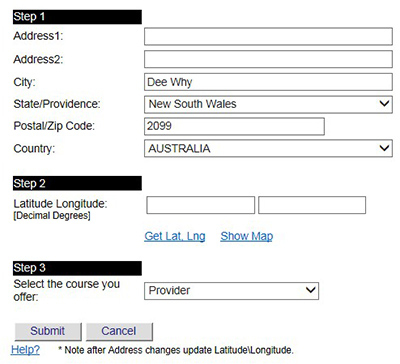 |
| Step 1: Enter the address where your course is located.
Step 2: Click the “Get Lat, Long” link Step 3: Select from the dropdown the types of course you offer:
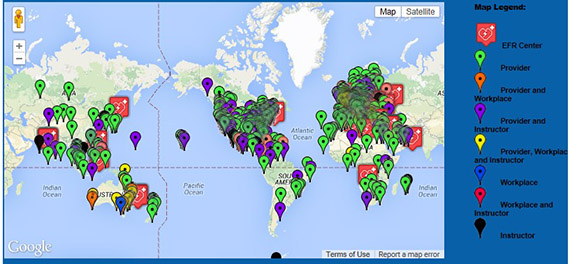
After submitting, the location will save and show up on the Emergency First Response Course Finder Map. Once back at the EFR Course Finder page you can add, edit or delete your courses; note that a maximum of five courses can be entered. To view your courses you advertise on the EFR Course Finder map click on the “Course Finder” tab in the EFR consumer site’s menu, or go directly to emergencyfirstresponse.com/course-finder |
 |