“How can I rank at the top of Google search results?” is one of the top questions we hear from dive shop owners. While there isn’t a silver bullet that can shoot your website to the of the search results page, there are some magic words (keywords) that can move your website higher in search results..
In today’s post, we’ll look at some of the top scuba keywords and where to use them to attract more customers. Keep in mind: keywords are one of several factors that affect where your website appears in search engine results. Other factors include:
- Where your business is located relative to the user
- Your Google My Business listing and Google reviews
- Other dive shops are in your area
- How many websites link to yours
- …and other factors
What are keywords and why do they matter?
The world wide web is home to nearly two billion websites. When you search for something online, the search engine attempts to deliver the most relevant 5-10 webpages for your query. One of the ways a search engine understands what a web page is “about” is by looking at the words in the title, description and content. More on that in a moment…

Top “Learn to Scuba Dive” Keywords
Below are some of the top keywords in English, French and Spanish about learning to scuba dive (as of May 2019). The keywords, which can be multiple words, are listed in no particular order because the #1 phrase in Springfield, Illinois might not be the same #1 phrase in Springfield, Oregon.
English
learn to scuba dive
scuba diving certification
PADI open water
padi elearning [location]
dive shop [location]
scuba diving lessons near me / [location]
scuba lessons cost
Français
une certification de plongée
devenez plongeur certifié
centre de plongée [ta ville]
formations plongée
magasin de plongée
apprenez à plonger
devenez un plongeur
Español
conviértete en un buzo
tienda de buceo PADI
escuela de buceo [tu ciudad]
cursos de buceo PADI
formación de buceo PADI
PADI eLearning
empezar a bucear
Top 5 Places to Use Keywords
Help search engines deliver your content to people looking for information on scuba lessons by using keywords in the following places:
#1 Page URL – Your learn to dive page should include the words “open water,” “scuba diving certification,” (or equivalents for native speakers in your area). If your website domain includes the word “scuba,” “plongée,” “buceo,” all the better.
GOOD: citynamescuba.com/open-water-scuba-certification
NOT-SO-GOOD: adventure-sports-outfitters-inc.com/courses
#2 Title tag– The title tag appears in search results and is likely to be the customer’s first impression of your business, so it’s important to include keywords, but write for humans, not search engines. Also, the search engine will penalize you for keyword stuffing.
GOOD: Learn to Scuba Dive in [CITY] | Become a PADI Open Water Diver
NOT-SO-GOOD: Learn to scuba dive scuba diving certification PADI open water PADI elearning
Other title tag tips:
– Put important keywords first.
– Make your title tag 60-70 characters, anything longer may be truncated
– Use a dash – or vertical line | to separate keyword phrases
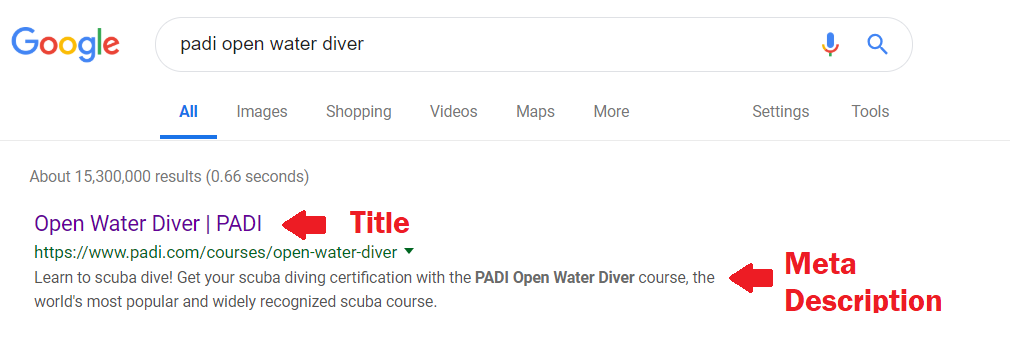
Use this free online tool to preview how your title or meta description will look and check character counts.
#3 Meta description – The meta description appears below the title tag in search results and provides additional information about the web page. Each page on your website should have its own unique meta description. If all pages have the same meta description, or no meta description at all, the search engine may ignore these pages, or rank them lower.
Remember to write naturally. If you stuff your meta description full of keywords, the search engine will penalize you with a lower ranking.
GOOD: Earn your PADI open water scuba diving certification in [city name]. We offer flexible scheduling with PADI eLearning and an on-site heated pool.
NOT-SO-GOOD: Learn to dive scuba diving certification near me scuba equipment PADI eLearning PADI open water scuba diving lessons scuba instructor dive gear.
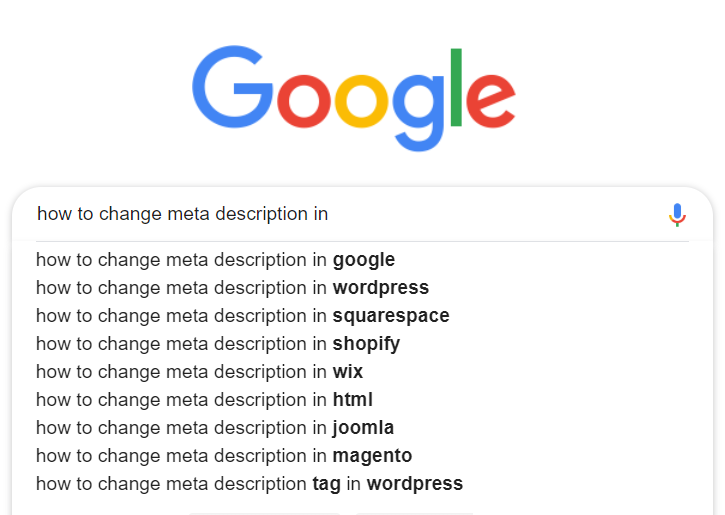
How you update the title tag and meta description depends on what platform you use (Squarespace, WordPress, Wix, etc). An online search can help you find specific instructions.
#4 H1 and H2 headers
Another place you can add keywords is in the header text of each page. Humans see headers as bold text of varying sizes. To a computer, a header is any text that appears between < h1 > and < h2 > (spaces added so your browser won’t get confused).
Dialing in your headers means peeking into your website’s code. Each web page should have an “h1” header at the top and an “h2” header (which is slightly smaller) somewhere down the page. Each header should contain different but related keywords, written in natural language.
Here is an example, with keywords highlighted for emphasis:
(H1) Learn to Scuba Dive in St. [Island Name]
St. [Island Name] is the ideal place to earn your scuba diving certification because the seas are always calm and our friendly dolphins will welcome you by spelling out your name. Start your scuba lessons online before you arrive and enjoy even more time underwater. Ask us about PADI eLearning.
(H2) Become a PADI Open Water Diver
We teach PADI’s Open Water Diver course because it’s the most recognized and respected scuba certification in the world. Our experienced scuba instructors have helped hundreds of guests learn to dive confidently and safely.
You don’t need to go crazy adding multiple H1 and H2 headers to each page. Recent research indicates the first H1 and H2 headers have the greatest impact on search results.
#5 YouTube
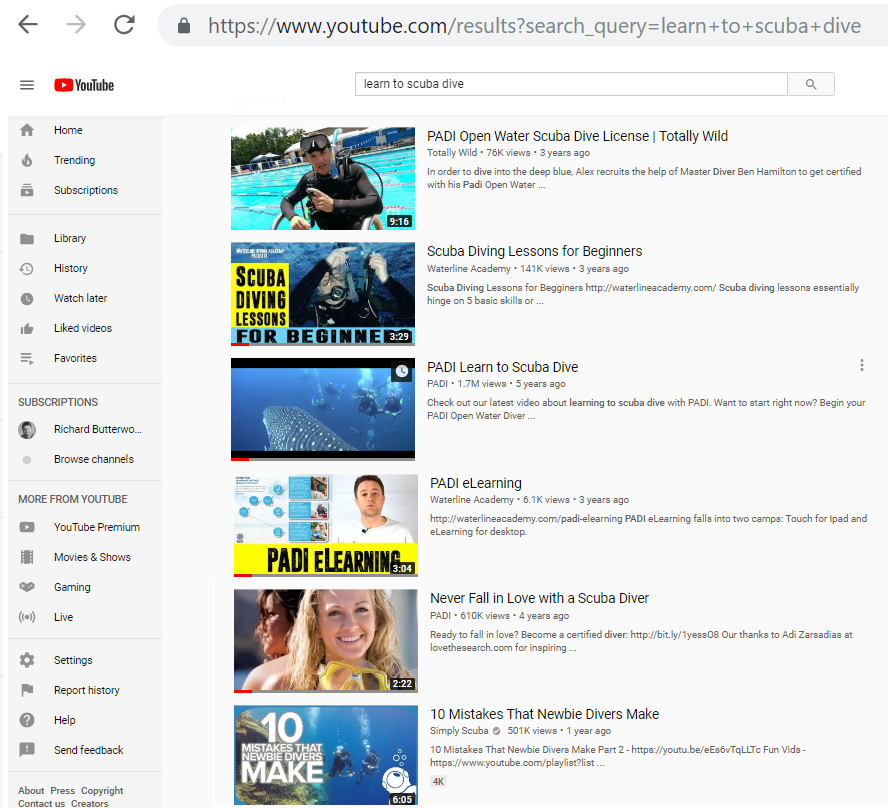
If you’ve already keyword-optimized your website, or if you don’t have access/time to work on your website, YouTube is a great alternative. Use keywords in your video’s title and description, for example, “PADI Open Water Class Phoenix” or “Scuba Diving Certification in Clear Lake.”

Very few dive centers are active on YouTube which is the world’s second most popular search engine after Google. More Millenials watch YouTube than any cable network and 80 percent watch videos when making buying decisions.
Keyword “Don’ts”
DON’T Use the same keyword over and over on the same page
Limit how many times you use the same keyword. Instead of always using “open water,” mix it up with “scuba diving certification” or “scuba lessons.” There isn’t a rock-solid rule about how many times to use a word, so if you’re concerned, ask a friend to read your webpage and ask them if it seems repetitive.
DON’T use all the keywords on every page
Choose 3-5 related keywords for each page. For example, a page about dive equipment probably doesn’t need “open water” or “scuba lessons” sprinkled in. Save those for your learn to dive page.
DON’T limit yourself to the top keywords in paid ads
If you choose to buy online ads, beware of targeting expensive, somewhat generic keywords like “scuba diving.” Instead, choose related keywords that directly contribute to your bottom line. Words such as “rent scuba gear” or “scuba instructor” typically have less competition. Start typing searches into Google (or YouTube) to get ideas.

Want more?
Attend PADI® Business Academy (PBA) for hands-on workshops in SEO and other online marketing essentials. The 2019 curriculum focuses on modern marketing tactics and fundamental business tactics. PADI Pros applying for CDTC course can receive five seminar credits for attending PADI Business Academy.