
Concerned about your Google ranking? Wondering whether all that time you spend on social media is worth it? Use these four tips to gain a competitive edge and connect with new customers.
#1 Add or update page headings to include keywords
One of the ways Google and other search engines decide which websites to rank at the top of search results is by matching the words in a customer’s search query to the words on a webpage. If there is a strong match, a webpage is more likely to show up on page one.
92 percent of consumers choose a business from the first page of search results
Some words matter more than others. The words in your page title and headings count for more than other words on the page. It makes sense, right? A page called “Learn to Scuba Dive Vancouver” with a heading that says “PADI Open Water Diver Certification” is probably not about bowling.
Improve your search engine ranking by ensuring every page on your website has a heading with relevant keywords. If you only have time to do one thing in this article, this is the one you should act on.
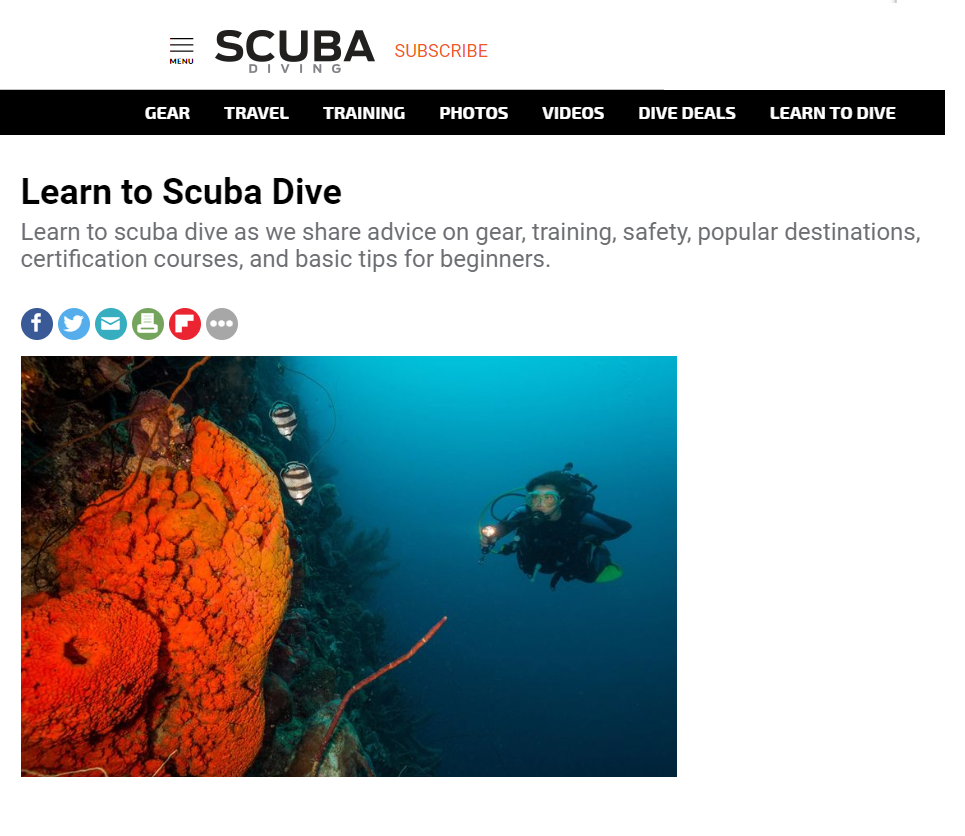
Below is an example from scubadiving.com. Notice how Learn to Scuba Dive appears in bold text at the top of the page.
What are keywords?
Optimize your website by including keywords in the page title and heading(s). Keywords are words and phrases customers use to search for information, for example:
Learn to Dive [your location]
Scuba Lessons [your location]
Scuba Equipment [your location]
Dive Gear Hire/Rental [your location]
[your location] Dive Packages
The Best Scuba Diving in [your location]
Headings – for people vs. search engines
To human eyes, a heading is large, bold text at the top of the page, but what search engines look for are words sandwiched between h1 or h2 brackets.* See image below…

Use the tools in your webpage editor to ensure you’re creating headings for search engines. Here’s an article that includes directions for how to add h1 headings to SquareSpace, Weebly, Wix and WordPress websites.
*Smaller headings, (h3, h4, etc.) aren’t as influential as the larger h1 and h2 headings. Here’s a link to everything you ever wanted to know about headings (and then some).
#2 Make sure your website is mobile-friendly
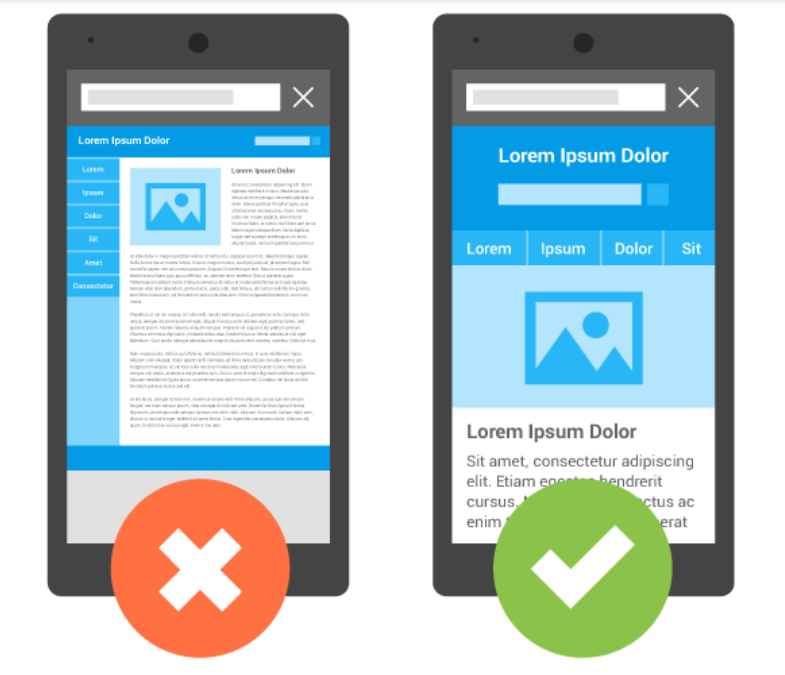
More than 60 percent of visits to PADI.com are from mobile devices such as smartphones or tablets. This isn’t unique to the dive industry, the majority of web searches in North America take place on mobile devices. That’s why it’s important to have a mobile-friendly site. If users have to pinch and zoom to read your content or click a link, research shows they’ll get frustrated and leave your site.
61 percent of mobile searchers are more likely to contact a business if they have a mobile-friendly site.
Search engines are also less likely to show a non-mobile friendly site in search results for users on mobile devices. In other words, if Google detects your site isn’t mobile-friendly, it might not show your website to someone looking for scuba diving information on their iPhone.
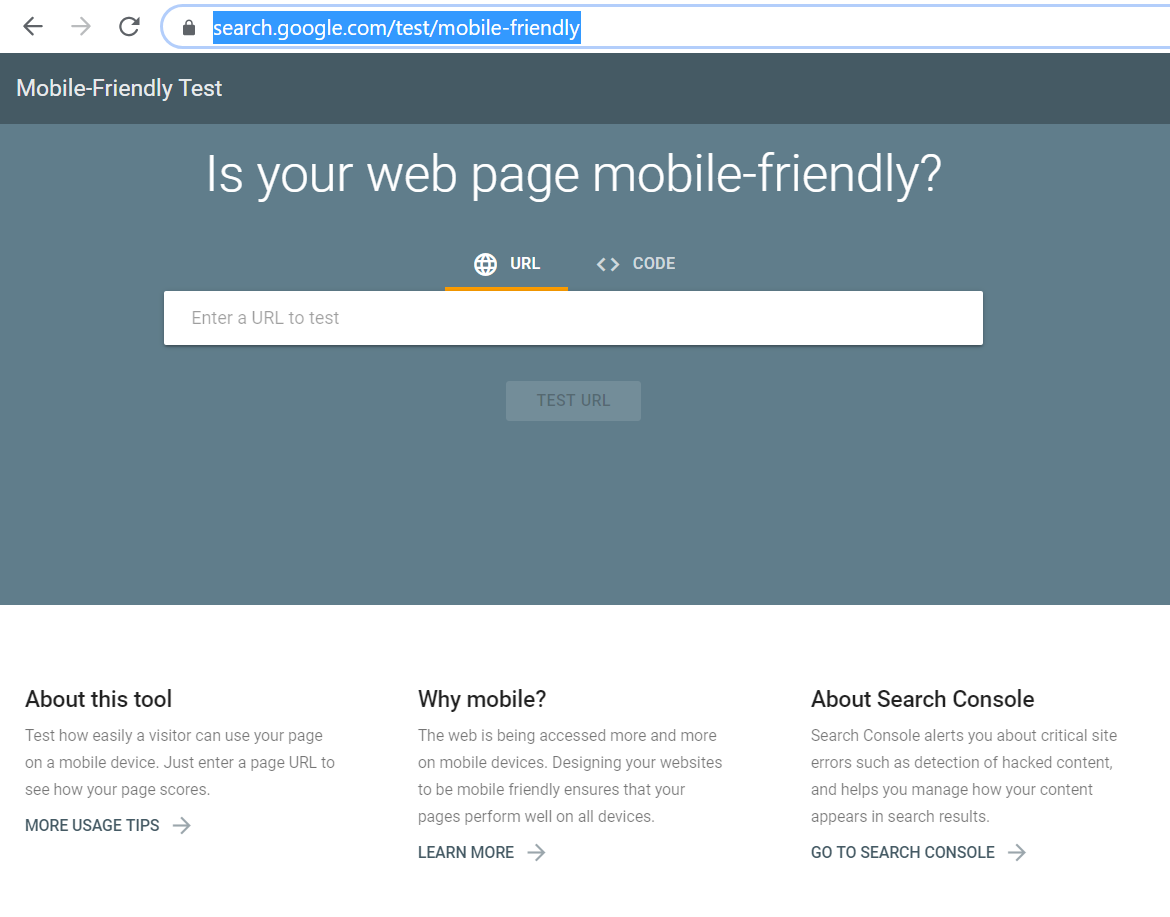
Use this free tool from Google to test whether your site is mobile friendly. All you have to do is type in your web address. In a matter of seconds, you can view results. If your site isn’t mobile-friendly, Google will make recommendations based on your website hosting service.
#3 Include an email newsletter signup to your header or footer
Invite users to connect with you and receive special offers by adding a newsletter sign-up box to the header or footer of your website. Email is “opt-in” as opposed to social media, where people aren’t necessarily open to promotional messages.
61 percent of consumers prefer to be contacted by brands via email
(versus social media or direct mail)
If you have a homepage pop-up inviting people to subscribe, that’s okay, but remember:
– An increasing number of website users use pop-up blockers
– Not everyone will start exploring your website from your homepage.
#4 Add reviews and testimonials
Reviews are one of the most powerful ways to convert website visitors into customers. Approximately nine out of 10 consumers read reviews before visiting a businesses.
If you have a Facebook or TripAdvisor account, you can easily add recent reviews to your website using a widget. Learn more about how to use review widgets and why reviews matter.
For more information, or a complimentary website review for your PADI® Dive Center or Resort, contact your PADI Regional Manager or Regional Training Consultant. For hands-on training in digital marketing and website optimization, attend a PADI Business Academy near you.